

Invoices & receipts
Offers, invoices, receipts, reminders and documents
Modular business software · Demo with fictitious data
A modular, expandable business software for start-ups, small companies and small medium-sized businesses. Invoices, accounting, banking, travel expenses, personnel, projects and planning all come together.
1 system
instead of many isolated solutions
12+ modules
from the document to the project
Expandable
grow with the company
Operating status at a glance
Fictitious client · Dark modeAxisCockpitadapts to the work context. The view is clear and bright high-contrast in daylight, the dark view reduces glare and moves numbers, Status and diagrams take center stage. All product media follows on this page automatically to the selected mode.
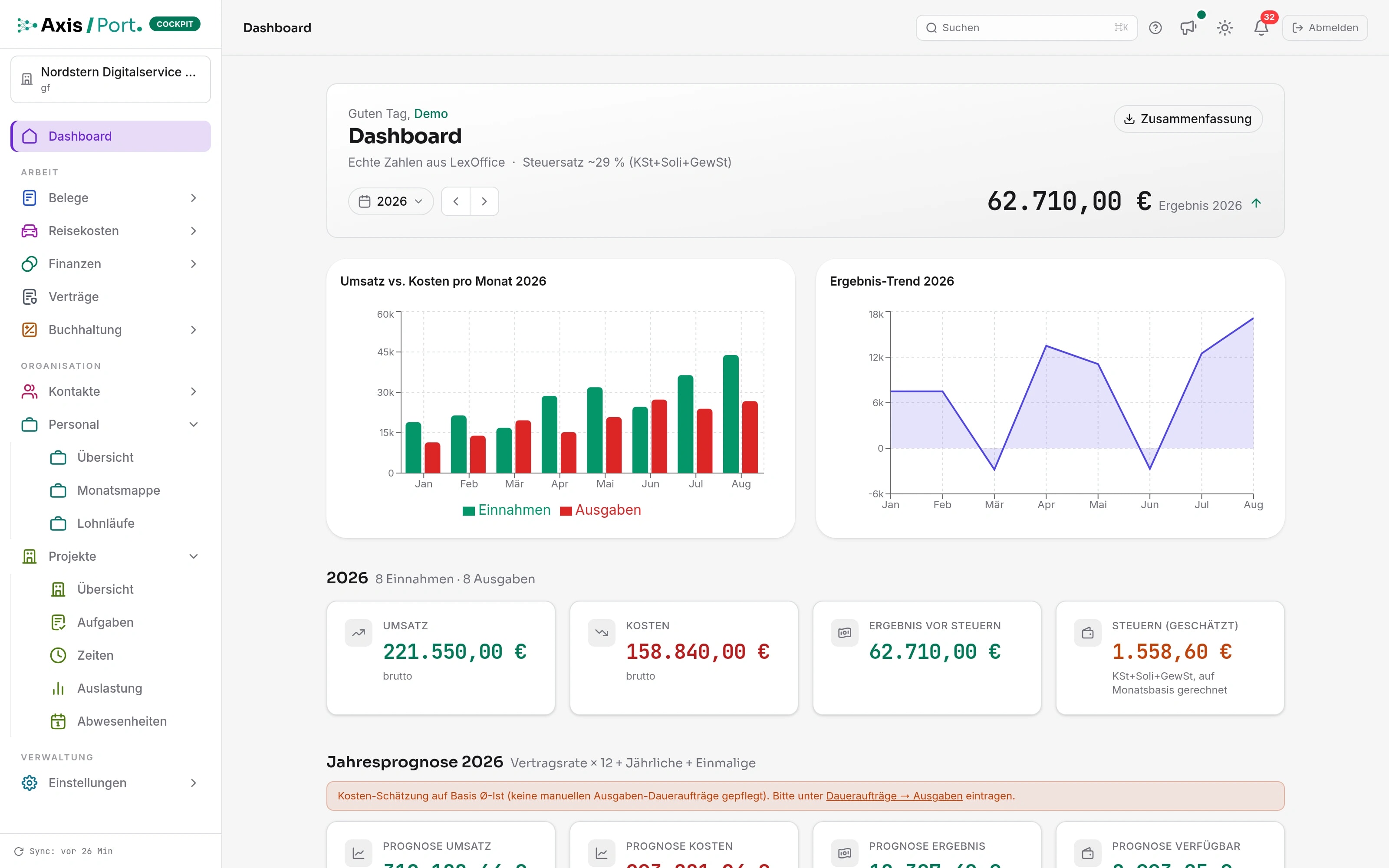
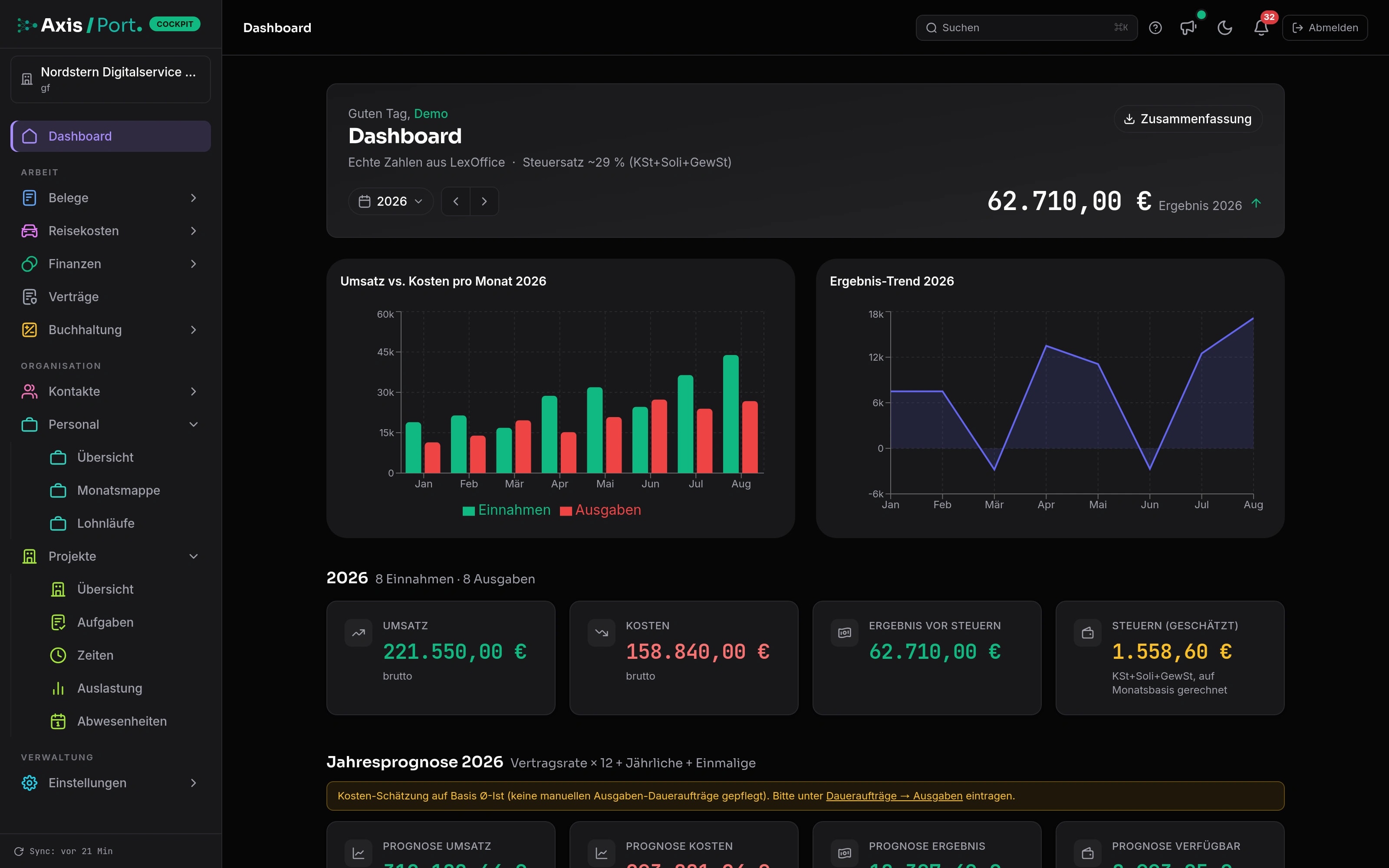
Not a new tool for every new task: AxisCockpitbrings together the core business areas on a common database. Modules can be activated step by step, roles can be clearly defined and existing systems can be specifically connected.
Offers, invoices, receipts, reminders and documents
Chart of accounts, cash book, bank transactions, allocation, BWA and DATEV
Travel, approvals, employees, absences and pay processes
Projects, tasks, workload, appointments and time tracking
Customers, partners, contracts, pipeline and recurring operations
Cash flow, forecast, budgets, scenarios and tax reserves
One client · one rights base · one work status
Start-ups and small businesses
start lean and add accounting, travel expenses, personnel or projects exactly when they are needed.
Smaller middle class
brings together established processes, roles and data sources in a common, multi-client capable system.
Management and finance
work with the same status for receipts, banking, BWA, DATEV, cash flow and decisions.
AxisCockpitis particularly suitable for start-ups, small companies and smaller medium-sized companies that not only want to digitize invoice writing, but also want to combine their entire commercial and operational operations.
For young companies that want to manage invoices, expenses, bank, travel expenses, first employees and projects on a common basis right from the start.
For mature companies that no longer want to organize their commercial, personnel and project-related processes using individual solutions and double data maintenance.
For organizations that no longer want to check ongoing accounting work, receipts, payments, reserves, charts of accounts, BWA and handovers separately.
For companies where financial figures only make sense when customers, projects, contracts, responsibilities and personnel planning are in line.
AxisCockpitis not explained via a feature wall, but rather via the work routes that prepare decisions every day.
Documents are recorded, assigned and visible in evaluations.
The operational status and the financial impact are on the same surface.
Actual values, recurring items and planned events result in several scenarios.
Decisions become visible with bandwidth and assumptions.
Modules, features and permissions determine who sees which workspaces.
Teams only work with the areas for which they are responsible.
The strength ofAxisCockpitis not in a single dashboard. It lies in the fact that invoices, receipts, financial position, personnel, projects, planning and roles share the same context.
Sales, costs, cash flow, open items and reserves are brought together in a decision view.
Invoices and documents do not remain as storage, but become processes with assignment, checking, payment and evaluation.
Forecasts are created from actual data, continuous runs, events and assumptions, not from a single desired number.
Human resources, project management, capacities and responsibilities become visible where they influence the economic situation.
Tenants, modules, features and authorizations decide who sees and is responsible for which work areas.
When scrolling, the high-resolution product image with correctly assigned explanation points appears first for each module. The short operating recording can then be switched on directly.
Outgoing and incoming documents, drafts, checks and committed documents are in a common area - with amount, recipient, status and next step.
Travel application, receipts, flat rates, approval and reimbursement remain visible as a coherent process. This helps employees as well as finance and management.
Bank movements, open positions, known obligations and plan assumptions form a common cash flow view. In this way, bottlenecks and scope become apparent early on.
Chart of accounts, BWA, cash book, allocations and DATEV paths are not separated from the operational processes. Numbers can be traced back to their foundation.
Customers, contacts, offers and sales opportunities share the same context. The pipeline shows what the next step is and which assumptions belong in the forecast.
HR master data, employment status, working hours, absences and downstream monthly processes are in the same client as finances and projects.
Tasks, times, responsibilities and workload remain within the project context. This means the team not only sees what needs to be done, but also what it means operationally.
AxisCockpitworks responsively in the mobile browser and can be installed as a web app on the home screen. When you scroll, the cockpit, receipts and cash flow change directly in the iPhone.
Results, sales, costs and the most important developments remain available in a clear overview even when you are on the move.
Document inventory, work status and amounts can be recorded on the smartphone and prepared for the next step.
Actual values and forecasts show at an early stage how available funds, costs and planned income are developing.
Display in iPhone format · installable as PWA
Central company software must not become a new island. The connections shown are already available. We are continually planning additional banks, payment methods and specialist systems and checking additional interfaces upon request.

Booking batches and charts of accounts

Receipts, contacts, articles and synchronization

Business accounts and bank transactions

PSD2 bank retrieval for other banks
 PayPal
Accept payment movements
 Stripe
Payment details and transactions
 Wise
WiseBusiness payment movements
 Revolut
Revolut Business Data
Available todayThe data paths shown above are created in the current product version.
Further connections plannedAdditional banks, payment providers and specialist operational systems expand the roadmap.
Expandable upon requestWhere there is a suitable API or a reliable import route, we examine an individual connection.
In addition, assets from Lexware Office, sevDesk and structured files can be taken over. Specific availability, scope and data direction are always checked in the implementation project.
AxisCockpitis interesting if a start-up, small company or smaller medium-sized company is not looking for an isolated invoicing tool, but rather an expandable platform for the entire day-to-day business.
If the document, bank movement, project, trip and employee are in the same context, exports, double maintenance and the search for the most current status are no longer necessary.
A start-up can start with invoices and banking. Personnel, travel costs, projects, forecasts or other companies are added if the company actually needs them.
DATEV, Lexoffice, Qonto, banks and payment providers are not hidden. Existing data paths can be connected or gradually replaced.
Finance and documentation, banking, DATEV export, forecast, travel expenses, personnel, projects, roles, multi-client capability and the designated integrations can be traced in the current product repository.
Project status checked on 11 August 2026
Demo and data protection
AxisCockpithas a specially prepared demo client. Public product media is created exclusively from fictitious, cleaned data and not from customer or production data.
Cleaned data shows the real process without revealing customer or production data.
Documents, payments, forecasts and decisions are checked as a complete work process.
Management, finance and operations only see the areas for which they are responsible.
Introduction, testing rhythm, integrations and limits are determined before going live.
Replacement for tax advice or accounting
Financial planning without maintained initial data
Untested forecasts without responsible classification
We show the current status with cleaned data and check together which modulesAxisCockpitcarry your process.